A unified help desk for the inbox you already use
Connect Microsoft 365 and your support address becomes a tracked queue. Customers keep emailing exactly as they always have, while your team stops working out of a shared mailbox and starts working from a helpdesk.
What is an email ticketing system?
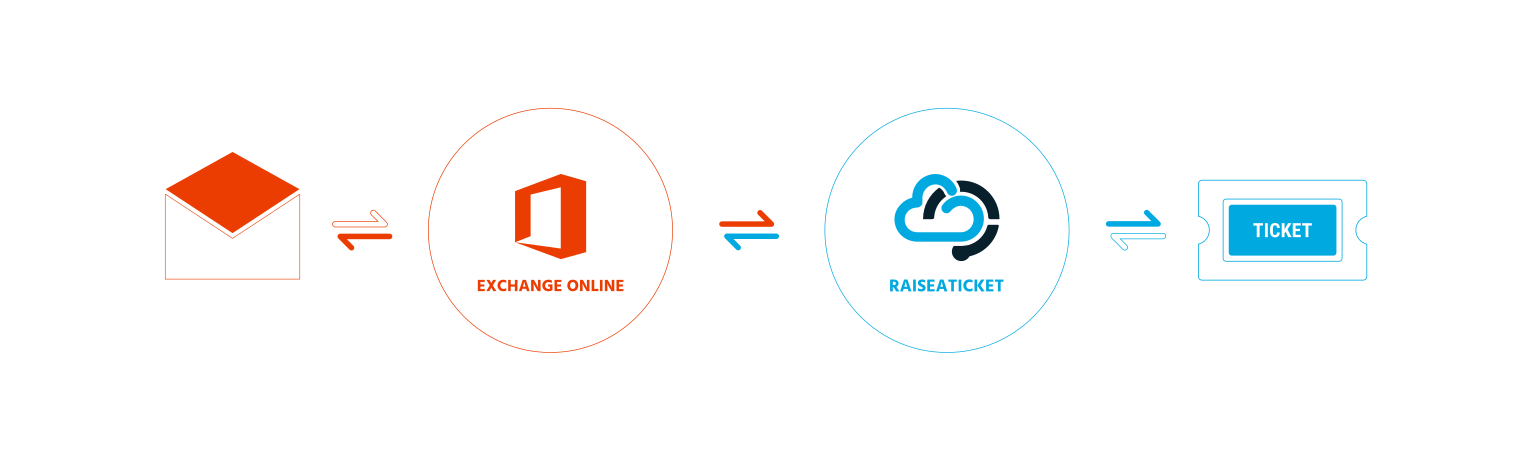
An email ticketing system is a support tool that manages and organizes inquiries arriving by email. It converts incoming messages into support tickets, so every issue is addressed systematically instead of depending on somebody remembering it. Rather than manually sorting an overwhelming inbox, the queue sorts itself.
Integrating Microsoft 365 takes that further by combining unified email management with the ticketing platform, so the mailbox your business already runs on becomes the front door to your helpdesk.
- Centralized communication in one platform
- Automated categorization and prioritization
- Accountability through tracked ticket status
- Faster responses and happier customers
From email to resolved
Setup
Configure your support addresses, ticket fields, categories and workflows once.
Ticket creation
Incoming emails are converted automatically into unique, trackable support tickets.
Routing
Tickets are assigned by availability, expertise or priority rather than by hand.
Resolution
Agents reply from within the system and keep the ticket status current as work progresses.
Closure
Customers are notified on resolution and can leave feedback on how it was handled.
Analysis
Response times, trends and satisfaction feed back into how the queue is run.
What the integration actually gives you
A unified support inbox. Work email is centralized into one helpdesk, so no request goes unnoticed and every message becomes a trackable ticket.
Automated ticket creation. Mail from Microsoft 365 becomes a support ticket without manual intervention, which is where most of the time saving comes from.
SLA tracking and escalation. Set response and resolution targets, and escalate automatically when a high-priority ticket is at risk. See SLA management.
Streamlined collaboration. Agents view, assign and manage tickets in real time with shared visibility, instead of forwarding mail between themselves.
Instant customer confirmation. Automated replies reassure customers their query has landed, which measurably reduces follow-up chasing.
Effortless prioritization. Keywords or client profiles trigger routing rules, so urgent tickets reach the right team immediately.
Complete email history. Every interaction is retained on the ticket, so context survives handovers and holidays.
Reduced email overload. Multiple threads combine into unified tickets, keeping inboxes clear and the queue readable.
What to look for in a help desk
Most helpdesk tools can capture a ticket. The differences show up later, once volume climbs and you need to answer for what happened.
- A single queue. Every request in one place with an owner and a status, rather than living in whichever inbox received it.
- Service level targets. Measured against your operational hours, with a warning before a ticket breaches rather than a report afterwards.
- Self-service. A knowledge base and portal so routine questions are answered without a ticket being raised at all.
- Reporting you can act on. Volumes, response and resolution times, and which agents and departments carry the load.
- An honest free tier. Check whether the free plan is the whole product or a sample of it.
Help desk, service desk or shared inbox?
These three get used interchangeably and they are not the same thing. Picking the wrong one usually means paying for complexity you never use, or outgrowing a tool within a year.
A shared inbox is where most teams start. It works until two people reply to the same customer, or somebody goes on holiday and their unanswered mail goes with them. There is no owner, no status and nothing to report on afterwards.
A helpdesk adds the missing structure: a reference on every request, an owner, a priority and a deadline. It is usually framed around resolving problems, most often for external customers. If that is your situation, start with free helpdesk software.
A service desk covers the same ground but is framed around delivering services to an organization. It handles incidents and service requests and is measured against agreed service levels. If you are supporting colleagues rather than customers, see free service desk software.
Most teams end up doing both, which is why Raiseaticket runs either from the same workspace. There is a longer comparison in our guide to helpdesk versus service desk.
Common questions
How long does it take to get running?
Creating a workspace and inviting agents takes minutes. Connecting a mailbox and setting up departments and SLA policies is the part worth spending an afternoon on. Most small business help desk setups are live the same day.
Do our customers have to change anything?
No. They carry on emailing the address they already use. The ticketing happens on your side, which is why email-based helpdesks get adopted faster than a portal alone.
Is there anything to install?
No. It is a cloud helpdesk, so there is no server to run, nothing to patch and no maintenance window to plan around.
Does it work with Google Workspace too?
Yes. Any Gmail or Google Workspace address can forward into your helpdesk on the free plan. Native Google Workspace mailbox integration and Google single sign-on for agent access are Premium add-ons. See Google integration.
What happens when we grow?
Agent packs raise both the agent limit and the monthly ticket allowance, added from your workspace when you need them. See pricing.
What is the difference between a help desk and a trouble ticket system?
Very little in practice. “Trouble ticket” came out of telecoms and IT operations and tends to describe the record itself; “help desk” describes the team and the software around it. So if you are looking for free trouble ticket software, this is the same thing - tickets, SLAs, a knowledge base and reports, free for 5 agents and 500 tickets a month.
Turn your support inbox into a help desk
Connect your mailbox and log your first ticket this afternoon. Free forever, with no credit card required.
Free foreverNo credit cardNot a 6-month trial