Free Internal Ticketing Software

Internal ticketing that boosts team collaboration

Create a work environment that encourages teamwork and knowledge sharing. Align sales, marketing, and customer success from the start to avoid client retention challenges. Continuous improvement ensures long-term success.

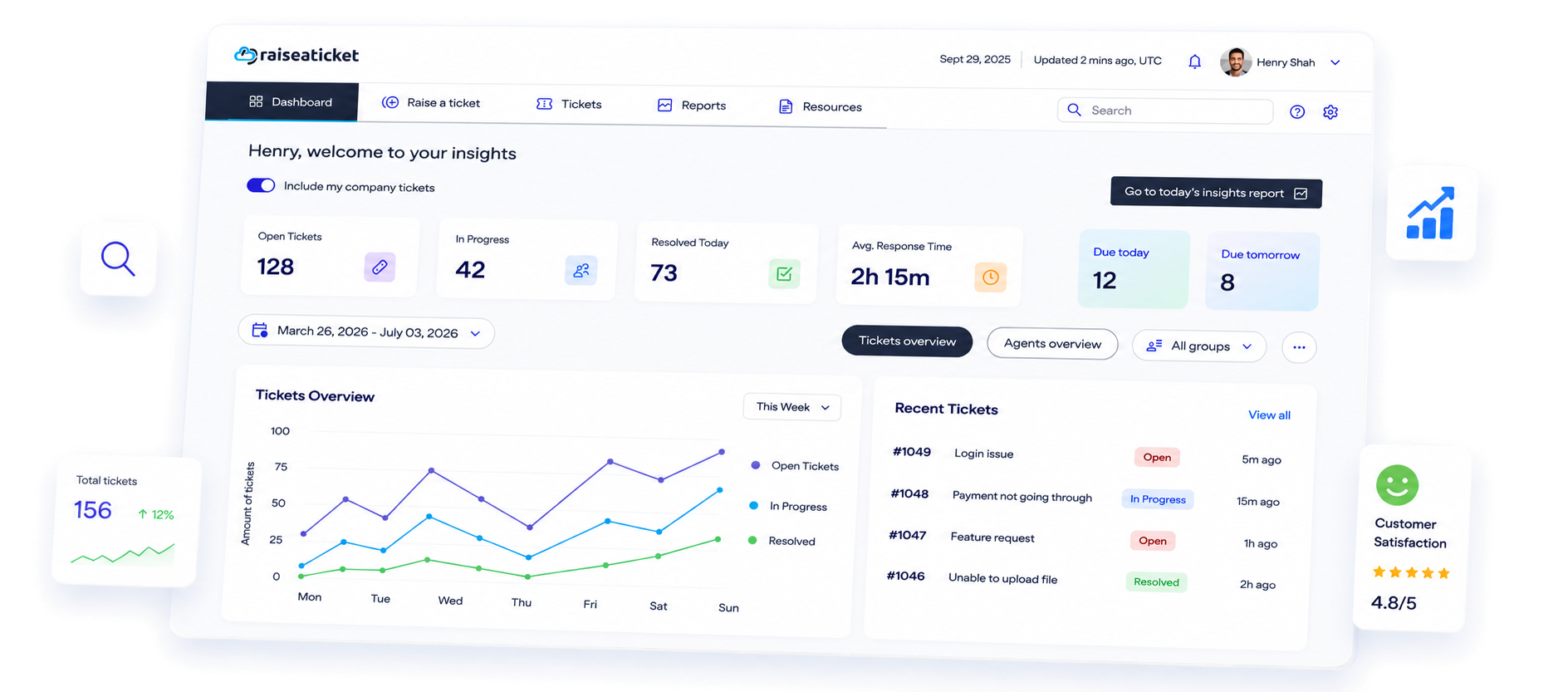
Ticket management preview
Why Choose Raiseaticket

Ensure long-term success with our internal ticketing

The Raiseaticket free internal ticketing software simplifies managing and tracking support requests (tickets) within your organization. It offers:

Detailed insights

Track tickets by status (received, resolved, assigned, pending, overdue) and response metrics.

Easy collaboration

Teams can work together on sales, support, and projects across departments.

Information sharing

Features like public and private notes enable streamlined communication.

Key Benefits

Optimize your ticketing system

Enhanced visibility

Gain instant insights into critical issues, pending requests, and tickets needing quick resolution.

Streamlined processes

Organize and manage communications between employees and support teams effectively.

Knowledge management

Enable efficient short and long-term sharing of organizational knowledge.

Ease of use

Intuitive and user-friendly design ensures quick adoption across teams.

How It Works

From request to resolution in four steps

1. Employees raise a request

Staff submit a ticket through your helpdesk portal or simply send an email. Every request lands in one queue instead of being scattered across chat threads, personal inboxes and corridor conversations.

2. It reaches the right team

Departments, groups and agent privileges decide who sees what. An access request goes to IT, a payroll question goes to HR, and nobody has to forward anything by hand.

3. Progress is tracked

Each ticket moves through received, assigned, pending and resolved, with SLA policies flagging anything overdue. Requests stop going quiet, and nobody has to chase for an update.

4. The answer is reused

Recurring answers become knowledge base articles and portal FAQs, so the next person finds it themselves. The same question stops arriving every month.

Built For Every Team

One system, every internal request

Internal ticketing is not only an IT concern. Any team that receives requests from colleagues can run them through the same helpdesk, with its own department, its own queue and its own reporting.

IT support

Password resets, access requests, new laptops, software installs and outages. Recurring issues become visible in reports, so you can fix the cause rather than answering the same ticket every week.

HR and people teams

Onboarding checklists, leave and payroll queries, policy questions and equipment requests. Private notes keep sensitive discussion between agents while the employee still sees a clear status.

Facilities and operations

Maintenance jobs, meeting room and equipment requests, purchasing approvals and supplier queries. Everything carries an owner and a due time instead of living in one person's inbox.

Common Questions

Internal ticketing, answered

What is an internal ticketing system?

It is a helpdesk pointed inward. Employees raise requests to internal teams such as IT, HR or facilities, and each one is tracked to resolution rather than handled ad hoc.

How is it different from customer support?

The mechanics are the same, the audience is not. Your requesters are colleagues, the portal is usually private to staff, and reporting is aimed at internal service levels.

Can employees raise tickets by email?

Yes. Email ticketing turns a message into a tracked ticket, so colleagues do not have to learn a new tool. See email ticketing for detail.

How do we keep requests private?

Departments and agent privileges control who can see a queue, and private notes let agents discuss a ticket internally without the requester seeing that conversation.

Can each team have its own queue?

Yes. Set up a department per team, assign agents and groups to it, and each team works its own queue while you still report across the whole organization.

Can we measure response times?

SLA policies set the expectation and reports show first response and resolution times, plus what is pending or overdue right now.

Do we need to install anything?

No. Raiseaticket is cloud based, so there is no server to run and no software to roll out. Create a workspace and invite your agents.

Is it genuinely free?

Yes. The free plan includes 5 agents and 500 tickets a month with every helpdesk feature, forever, with no credit card. Single sign-on, automation and asset management are optional premium add-ons. See pricing for what is included.

Control Your Support Experience

All in one platform

Provide support and answers on your products, services, updates, incidents and issues with your experts on our 100% free helpdesk cloud platform.