100% Free Helpdesk Software for Small Teams
Free forever. No credit card. No trial.
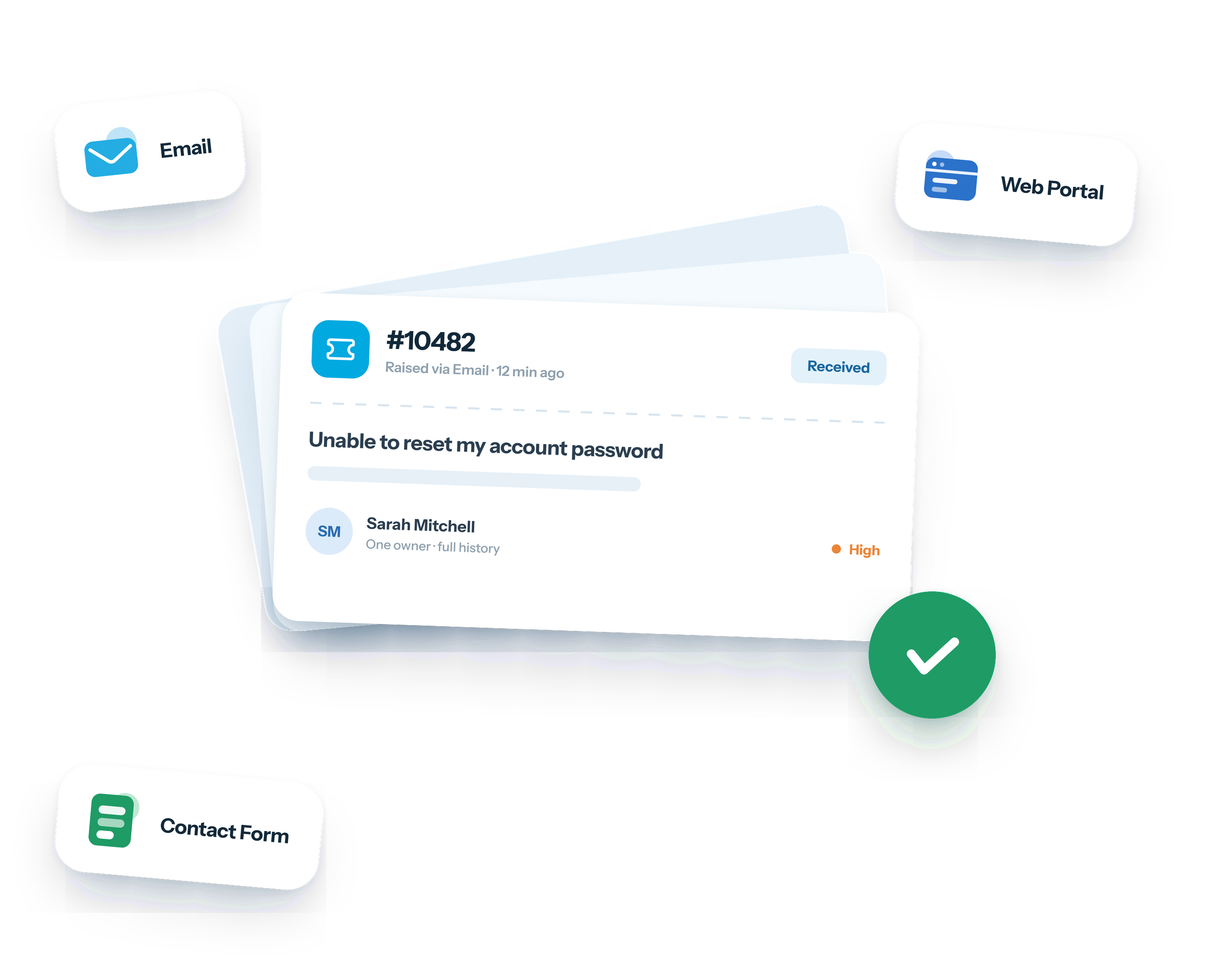
Raiseaticket is free help desk software with ticketing built in. Every incoming request - email, web portal or contact form - becomes a numbered ticket with one owner, a priority, a status and a full history, so nothing is answered twice and nothing is quietly dropped.
Everything on the free plan, from day one
360-Degree Support Overview
Flexible & Scalable
Real-Time Reporting
Quick Setup
What is help desk software?
Help desk software is the system a support team works in. It collects requests from every channel into one queue, gives each one an owner, tracks how long it has been open against a target, and keeps the whole thread in one place so any agent can pick it up without asking the customer to repeat themselves.
Three things separate it from a shared mailbox. Every request has a reference and an owner, so work cannot fall between people. Every request has a clock, so you can see what is late before the customer tells you. And every request is recorded, so performance is measured rather than guessed at.

How a help desk changes the way requests get handled
The practical difference is ownership. In a shared mailbox, a message is either everyone's job or nobody's, and the only way to know whether it has been answered is to read the thread.
That single change removes most of the failure modes teams actually hit. Two agents no longer reply to the same customer, because assignment is visible. Requests stop being lost when someone is away, because tickets route to a group rather than an individual. And nothing sits untouched for four days without anyone noticing, because the queue can be sorted by age and by target.
Conversations stop fragmenting too - every reply, internal note and attachment stays on the ticket.
What you can measure once tickets are tracked
Because every request is timestamped and owned, support stops being a matter of opinion. Four numbers are worth watching from the start.
- First response time - the one customers feel.
- Resolution time - whether problems are actually being closed, or just acknowledged.
- Volume by category - where demand is coming from, which is usually the fastest route to reducing it. If a third of tickets are password resets, the fix is self-service, not more agents.
- Reopen rate - the quiet one: a ticket closed twice was not solved the first time.
Reports and analytics are part of the free plan, not a paid add-on, so this is available from your first week rather than after an upgrade.

Moving from a shared mailbox without losing anything
Most teams arrive from a support@ address that several people watch. The migration is smaller than it sounds, because you do not have to move history to start - redirect new traffic and let the old mailbox drain.
Connect the existing address so mail lands in the queue as tickets. Create one group for the whole team rather than a routing tree on day one - you will not know the right structure until you have a few weeks of real tickets. Set one SLA policy with a first response target you can genuinely meet, and add operating hours so evenings and weekends are not counted against you.
Then send a test message and watch it arrive. Categories, tags and finer routing are easier to design once there is real data, and all of them can be changed later.
What is free, and what do you actually pay for?
Most free helpdesk software puts the useful parts behind a paid tier and gives away a stripped-down ticket list. Raiseaticket splits it the other way round: the complete core helpdesk is free, and you only pay when you need additional capacity or selected Premium capabilities.
Free on every account:
- SLA policies with breach alerts
- Reports and analytics
- A knowledge base
- Customer satisfaction ratings
- Multi-factor authentication
- Email and web portal channels
- Routing by department and priority
- Attachments up to 25MB
What you pay for is either more capacity - agents and ticket volume beyond 5 agents and 500 tickets a month - or a Premium capability: single sign-on, advanced automation, Microsoft 365 or Google Workspace mailbox integration, asset management, change management, the REST API, or a custom domain and branded portal. If the free plan covers what you need, you are running the complete core helpdesk, not a cut-down edition.
Centralize customer conversations in one tracked queue
Free forever. No trial period and no credit card.
What is a ticketing system?
A ticketing system is the mechanism underneath a help desk. It turns each incoming request into a numbered ticket with an owner, a status and an audit trail.
The terms get used interchangeably and it is worth being precise. Help desk software describes the service you provide; a ticketing system describes the mechanism that tracks it; a ticketing tool is the same thing again. Anything worth shortlisting is all three - if a tool cannot give you a ticket reference, an assignee and an audit trail, it is a shared mailbox with better branding.
When a free help desk is enough, and when it is not
The free workspace covers 5 agents and 500 tickets a month - enough for a small support team, an internal IT or HR desk, or a company that has outgrown a shared mailbox.
You may need Premium when you exceed 5 agents or 500 tickets a month, or when you need a capability such as single sign-on, advanced automation, Microsoft 365 or Google Workspace mailbox integration, asset or change management, the REST API, or a custom domain and branded portal.
The core helpdesk stays free either way. SLA policies, reports, the knowledge base, satisfaction ratings and multi-factor authentication are all in the free plan.
What to check before committing to any help desk
Most of these are quick to verify during a trial, and they are the ones teams regret skipping.
The product questions
- Can it give every request a reference, an owner and an audit trail? If not, it is a shared mailbox with better branding.
- Does it measure first response and resolution time without you building a report?
- Can customers see their own ticket history without emailing to ask?
- Is there somewhere to write answers down, so the same question is not retyped weekly?
The commercial questions
- What exactly is limited on the free or entry tier - features, or capacity?
- Are SLAs, reports and the knowledge base included, or held back?
- What happens to your data if you leave, and can you export it?
A product that answers those clearly is usually easier to live with than one that answers them in a sales call.
Security, privacy and compliance
Support systems hold customer contact details and often the substance of their problems, so access control matters more than it first appears. Multi-factor authentication is free, and role-based access scopes agents to their tickets rather than portal settings or user management.
Data sits in EU-based infrastructure, the platform is built to be GDPR-aligned, and each ticket audit trail records who accessed and changed what. Single sign-on is a Premium control.

Assign support tickets, track them and report on them
Free, Intuitive Help Desk Software
Streamline Ticket Management
Insights & Analytics for Smarter Support
SLA Prioritization
Knowledge Base for Faster Resolutions
Multi-Channel Support
Real-Time Notifications
Tagging & Categorization
Customer Feedback for Growth
Automation for Efficiency
Turn Your Support Inbox Into a Powerful Free Helpdesk in 5 Minutes.
Provide support and answers on your products, services, updates, incidents and issues with your experts on our 100% free helpdesk cloud platform.
Free foreverNo credit cardNot a 6-month trial